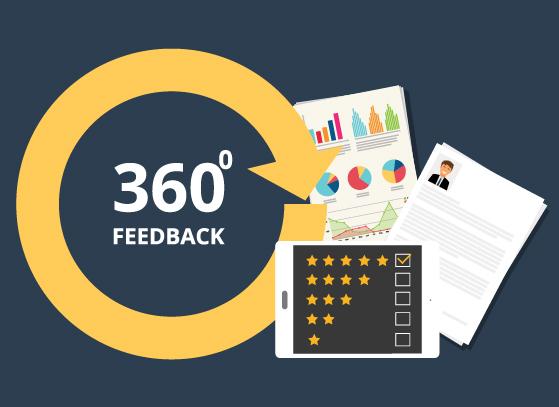
online-assessment
online-assessment

Talent Acquisition

Talent Management & Development

AI-assisted Exam Solution

Industries

Featured solution


12 types of pre-employment tests

Discover 12 pre-employment tests that help recruiters and HR teams improve hiring accuracy, reduce risk, and streamline selection.

Get to know more

Talent Acquisition

Talent Management & Development

AI-assisted Exam Solution

Industries

AI-assisted Assessments

Products

Hackathon

Featured solution


12 types of pre-employment tests

Discover 12 pre-employment tests that help recruiters and HR teams improve hiring accuracy, reduce risk, and streamline selection.

Get to know more

AI-assisted Assessments

Products

Hackathon

Resource libraries

Competency libraries

Featured solution


12 types of pre-employment tests

Discover 12 pre-employment tests that help recruiters and HR teams improve hiring accuracy, reduce risk, and streamline selection.

Get to know more

Resource libraries

Competency libraries

online-assessment

Mettl 360View> How It Works?

Mettl 360View: How It Works?

CREATE
360 Part 1

Step 1: Create Survey

  • 1.1 Select Template : You can select Custom Survey Template or request as per your organizational needs from Mettl’s pre-built test repository

  • 1.2 Add Participants : You can upload participant’s data in bulk using excel template, and if you make any errors, 360 View smartly detects and rectifies them

  • 1.3 Set-Up E-mails : You can customize template and set-up automated reminders. And if there is a failed delivery, 360View informs you automatically
360 Part 2

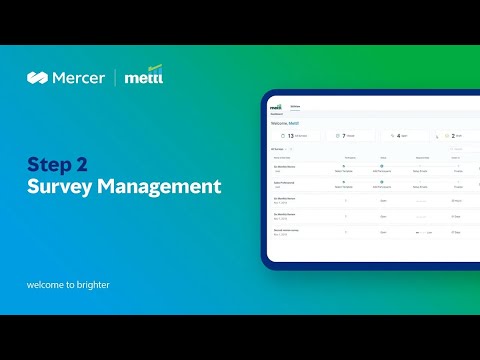
Step 2: Manage Survey

  • Click on the survey tile to see detailed survey status

  • On the survey details page, you can track status of all respondents, add more participants, send ad-hoc reminders and do much more
360 Part 3

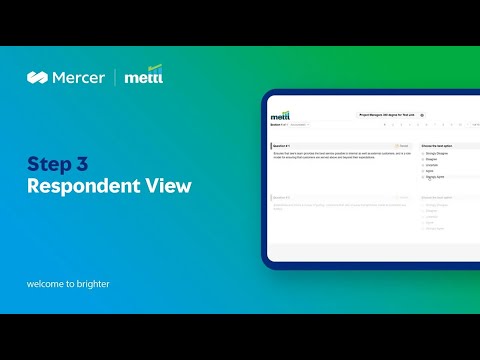
Step 3: Give Feedback

  • Participants receive an e-mail link from where they can ‘Give Feedback’ to the people listed

  • They can fill survey in multiple sittings, as 360View provides the functionality of automatically saving the responses

360 Part 4

Step 4: Analyze & Access the Report

They can fill the survey in multiple sittings, as 360View provides the functionality of automatically saving the responses

  • a) Number of Feedback Providers

  • b) Competency Wise Ratings

  • c) Summary of Top Qualities and Areas of Improvement

  • d) Others Opinion About the Seeker

  • e) Suggested Personal Development Plan


Related Pages

view-easy

360View: Easy-To-Use 360 Degree Appraisals Tool

Trusted by more than 6000 companies worldwide

Disclaimer: By using our offerings and services, you are agreeing to the Terms of Services and License Agreement and understand that your use and access will be subject to the terms and conditions and Privacy Notice


Marsh Logo
We're a global professional services firm bringing together capabilities across risk, reinsurance and capital, people and investments, and management consulting — building the confidence to thrive through the power of perspective.
Company
Partners
apa
SIOP
US Seal
ISO-27001
ISO-9001
GDPR
TUV
NABCB

2026 Marsh, All Rights Reserved